


Spades: Classic Card Game 2026
4.6253.00 Reviews
App Specs
- Version
- 1.3.0
- Updated On
- License
- Free
- Downloads
- 100,000+
- Developer
- Card Games, Inc
- Categories
- Card
- Platform
- Android
Screenshots
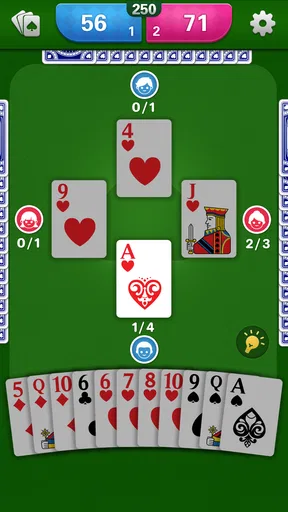
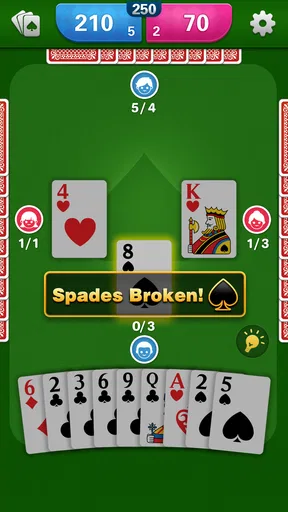
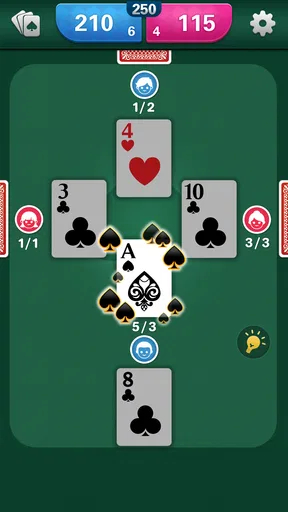
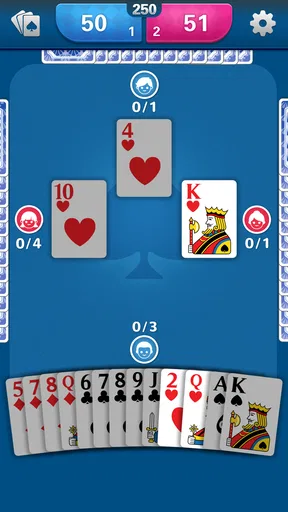
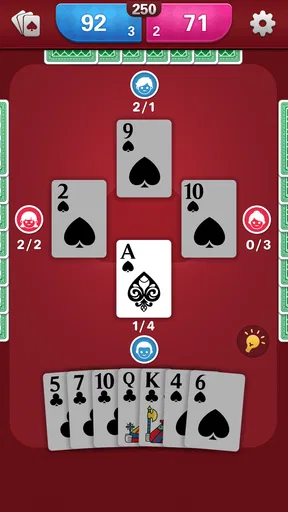
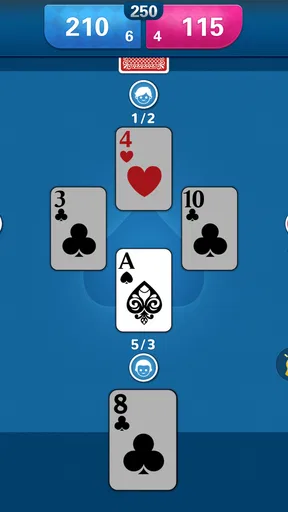
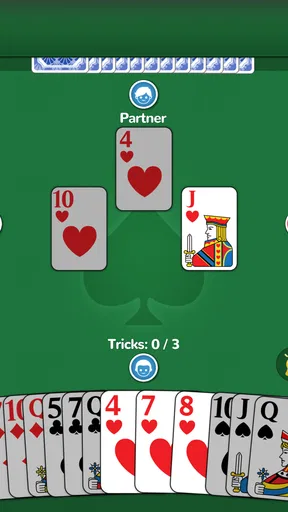
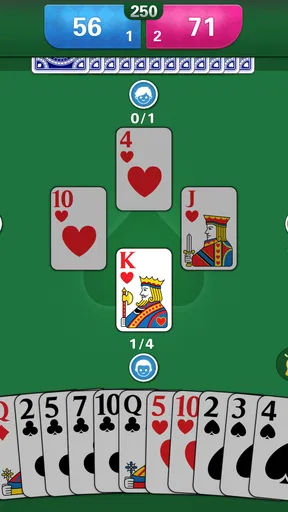
 Analysis by AppCompare
I’m drawn to phone versions of card games when they make it easy to get a quick hand in without turning the familiar rules into a complicated app experience. Spades: Classic Card Game 2026 is aimed at exactly that kind of player: someone who enjoys reading a deal, judging how much a partnership can take, and learning from a risky bid. My overall view is that its appeal rests on the social, strategic rhythm of Spades rather than novelty. That makes it promising for casual play, though the specific modes and extras matter a great deal to whether it will suit you.
Why the familiar format works
Spades is a partnership trick-taking game, so each hand asks you to make two connected judgments: what your cards can win and what your partner’s bid suggests about their hand. The interesting decisions often happen before the first card is played. A cautious bid can protect a team from overreaching, while an ambitious one can pay off when the suits fall favorably. I like that tension because it gives even a short session something to think about beyond simply playing the highest card.
For a new player, the best way to settle in is to focus on one decision at a time. Start by estimating the tricks your strongest cards are likely to take, then account for how many cards you hold in each suit. Don’t treat a high card as a guaranteed trick: its value depends on what has already been played and whether a higher card can still beat it. Watching those details is more useful than trying to memorize a complicated strategy before you know the flow of a hand.
That learning process also gives experienced players something to enjoy. Familiar rules leave room to improve at tracking suits, judging when to support a partner’s bid, and noticing when a hand is not developing as expected. A good Spades session can feel different from the last even though the deck and basic objective are unchanged. The main limitation of that strength is that anyone who dislikes careful turn-by-turn decisions may find the pace more thoughtful than exciting.
How I’d use it in an ordinary day
This kind of card game is a natural fit for a short break: I can imagine opening it while waiting for an appointment or settling in for a few hands after dinner. It doesn’t require the planning that a long campaign or a complex strategy game does, and the rules give a group of friends an easy shared starting point. If you already know Spades, the attraction is the chance to play without arranging a deck and a table. If you are learning, a relaxed solo session is a less pressured place to work out how bidding and play relate.
There is a useful distinction between a quick game and a social session. Playing alone makes it easier to concentrate on card choices and review your own habits; playing with other people makes partnership communication and table etiquette part of the fun. I would choose the former when I want practice and the latter when I want a more conversational game. Before committing to a longer session, check how the app handles the mode you want, since an advertised feature is only useful if it is available in the way you prefer to play.
If you’re choosing between this and a solitaire app, the deciding question is whether you want partnership and bidding. Solitaire is better for quiet, individual puzzle-solving, while Spades asks you to judge a shared plan and react to other players’ cards. Compared with a physical deck, a digital version is easier to start when nobody is nearby, but it can’t reproduce the same face-to-face conversation or the pleasure of handling cards around a table. I’d keep both options in mind rather than treating an app as a full replacement for playing with friends in person.
Worth Reading Before You Choose

EA SPORTS FC Mobile 26 Is a Bigger Football Game, but It Takes Time

Flipboard Shows What News Apps Must Do Beyond the Feed

Switching to Android Auto Means Rethinking Your Driving Routine

Google Calendar Makes a Crowded Week Easier to Manage

Ludo King Makes the Most of the Minutes Between Plans

Baby Panda World Brings Quick Play to Modern Phones, but Its Game Library Feels Busy
What to check before settling in
One practical question is whether the game fits your preferred way to play. The app is listed as free, with optional in-app purchases priced from $4.99 to $6.99 per item, so I’d begin without buying anything and see whether the core experience holds my attention. If a purchase is offered, consider whether it changes something you actually care about before spending. The game is rated Everyone, which makes its intended age audience broad, but younger players may still need help understanding bids and why a seemingly strong hand can disappoint.
Another question is whether you want a reliably quiet solo pastime or a competitive social game. The store description presents Spades as something to play at any time, but I would not assume that every social option suits every session. If you prefer not to interact with strangers, look for a solo route or a way to play privately before making multiplayer the reason you install it. If your priority is playing with a particular group, check that the available setup works for those friends rather than assuming an app’s social features will match your plans.
Players who already know the game can get more from each hand by treating bids as information, not just targets. Keep an eye on which suits have been exhausted and remember which high cards are still unaccounted for; that can help you decide whether to spend a strong card now or hold it for a later trick. For newcomers, I’d avoid trying to predict every card at once. Make a reasonable bid, notice what surprised you, and use that observation on the next deal. This steady approach is more useful than chasing a perfect score from the start.
There are trade-offs to the digital format that no card app can entirely remove. Automated play can keep a hand moving, but the experience depends on whether the opponents’ decisions feel understandable and whether the pace gives you time to think. Online play can bring variety, yet it also depends on other people being available and on the social atmosphere feeling comfortable. If either of those points is a deal-breaker, a simple offline card game or a physical deck with people you know may be a better fit than a game centered on opponents and competition.
Getting to Know the Game
So, what’s the deal with Spades: Classic Card Game 2026? Well, it’s a digital version of the classic trick-taking card game that’s been around forever. The game is all about strategy and partnership, which makes it incredibly engaging. Whether you’re a seasoned player or a newbie, this app has something for everyone. The developers have done a fantastic job of balancing the traditional elements with some fresh features.
Features that Stand Out
First off, let’s talk about the user interface. It’s sleek and intuitive, making it super easy to navigate. You won’t find yourself lost in a sea of buttons, which is always a plus. The graphics are crisp, and the animations are smooth, giving the game a polished look.
Now, one of my favorite things is the multiplayer mode. You can team up with friends or face off against players from around the globe. It’s a great way to test your skills and see how you stack up against the competition. Plus, there’s a chat feature, so you can engage in some friendly banter or trash talk if that's your style.
For those who prefer to play solo, the AI opponents are surprisingly smart. They offer a real challenge, which is perfect for honing your skills. I’ve found myself getting better at predicting moves and strategizing with every game.
What Keeps You Coming Back?
One word: customization. You can tweak everything from the card designs to the background themes. It might sound trivial, but having a personalized game environment enhances the experience. I’ve spent more time than I’d like to admit perfecting my setup.
Another addictive feature is the daily challenges. They keep things fresh by offering new objectives every day. Successfully completing them earns you rewards, which you can use for in-game upgrades. It’s a clever way to keep players engaged and coming back for more.
The Social Aspect
There’s a strong community vibe within the app. You can join clubs, participate in tournaments, and even climb the leaderboards. It’s perfect for anyone who enjoys a bit of competition and camaraderie. I’ve made some great friends through the game, and it’s always fun to see where you stand among other players.
That social emphasis is a real draw if competition makes card games more enjoyable for you, but it can also be a reason to choose a different option. Someone looking for a strictly private, distraction-free game may prefer a basic offline card app, while a group that values conversation might be happier around a physical deck. I’d treat clubs and tournaments as optional ways to add structure, not as the main reason to play: the core pleasure of Spades is still making thoughtful bids and responding to the cards in front of you.
Who is likely to enjoy it?
I’d recommend giving it a try if you already like partnership card games or want a reason to learn Spades. The appeal is strongest for people who enjoy a little calculation, can accept that a sensible bid sometimes loses, and like improving through repeated hands. The game’s broad Everyone age rating may make it approachable across age groups, although a beginner will get more out of it with someone willing to explain bidding and trick-taking rather than being dropped into a competitive match immediately.
It is less suited to players who want a fast action game, a story to follow, or a solo puzzle with no social element. Spades rewards patience and attention to a changing hand; if you find tracking suits tedious, its central appeal may feel like work. Likewise, a player who wants the exact atmosphere of a living-room game should remember that online chat and digital opponents are not the same as seeing a partner’s reactions across a table.
Card Games, Inc developed this card game, which has a 4.6 average from 968 ratings and more than 100K installs. It is free to install, with optional purchases in the $4.99–$6.99 range per item. The release date is August 13, 2023, and version 1.2.9 supports Android 7.0 and later. Those details make it easy to judge basic compatibility and cost, but they don’t tell you whether the play style will click; I’d make that decision by trying a few hands before investing time in its social side.
Wrapping It Up
In conclusion, Spades: Classic Card Game 2026 is a fantastic app that brings the classic game of Spades into the digital age with style. It’s got everything you could want: engaging gameplay, a vibrant community, and a ton of replayability. Whether you’re playing alone or with friends, it’s a game that’ll keep you entertained for hours on end.
If you haven’t tried it yet, I highly recommend downloading it. Trust me, once you start playing, you’ll wonder where all the time went!
My more measured recommendation is to start with the free experience, play enough hands to see whether the pace and opponent style suit you, and only then decide whether the optional extras matter. The 4.6 average is encouraging, but it can’t predict your personal preference for online competition, customization, or daily objectives. For me, the strongest reason to choose this game is simple: it puts a recognizable partnership card game within easy reach. If that is what you want, it is worth a look; if you want a purely solitary pastime or face-to-face company, another format will serve you better.
Pros
- Smooth multiplayer experience.
- Intuitive user interface.
- Customizable game settings.
- Regular updates and events.
- Offline mode available.
Cons
- In-app purchases can be pricey.
- Occasional ad interruptions.
- Limited tutorial for beginners.
- Requires stable internet connection.
- No cross-platform play.
FAQs for Spades: Classic Card Game 2026
What is Spades: Classic Card Game 2026?
Spades: Classic Card Game 2026 is a modern take on the traditional card game Spades, available for both Android and iOS. It offers classic gameplay with enhanced graphics, multiplayer options, and customizable features. Whether you're a seasoned player or new to the game, it provides a seamless and engaging experience.
How do I play Spades: Classic Card Game 2026?
In Spades: Classic Card Game 2026, players are divided into two teams and work together to win ’tricks.’ The game involves bidding on the number of tricks you believe your team can win and then playing cards to achieve this goal. The game ends when a team reaches a pre-set number of points.
Does Spades: Classic Card Game 2026 offer multiplayer mode?
Yes, Spades: Classic Card Game 2026 features a robust multiplayer mode. You can invite friends to play or join matches with players from around the world. The game provides a seamless matchmaking system, allowing for competitive and cooperative gameplay experiences with people globally.
Are there in-app purchases in Spades: Classic Card Game 2026?
Spades: Classic Card Game 2026 offers in-app purchases that provide additional content such as new themes, card designs, and ad-free experiences. While the core game is free, these purchases enhance the gameplay experience by adding more customization options and convenience.
What are the system requirements for Spades: Classic Card Game 2026?
Spades: Classic Card Game 2026 is compatible with most modern Android and iOS devices. It requires Android 5.0 or later and iOS 11.0 or later. Ensure your device has sufficient storage and meets these OS requirements to enjoy the game without any performance issues.


